Less spend. Same essentials.
Start with what you use. Look for a lower-cost alternative that still covers the work you care about.
A little more possibility.
Find alternatives to the apps you use, with your priorities at the centre.

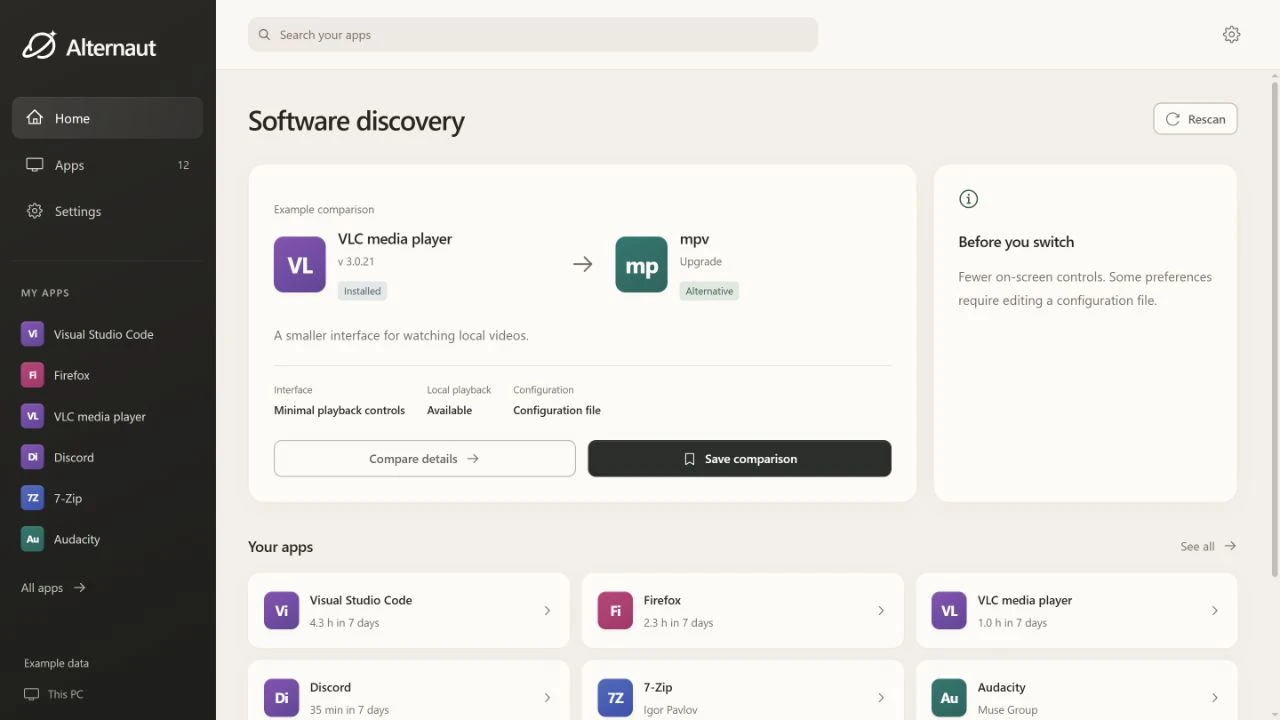
Familiar starting point. Fresh perspective.
You already know what you use. Alternaut helps you explore what could work better.
Choose the direction. Keep the work that matters.
Start with what you use. Look for a lower-cost alternative that still covers the work you care about.
Find a better fit when your current tool gets in the way. Compare capabilities, setup and the trade-offs.
Explore alternatives with privacy in mind. Check the evidence before deciding what belongs on your computer.
And sometimes, the right choice is the app you already have.
Designed to keep raw activity, window titles, full URLs, personal profiles and reports on your machine.
A recommendation request sends the product you select, your comparison goal and any workflow description you enter. Leave personal information out of that description.
This explains the product design. A full privacy notice will accompany the public release.
No. Compare the options and their sources, save what interests you, and decide for yourself whether to switch.
Alternaut for Windows is in development.
The public installer is not available yet.